Registering on Naver Smart Place is not an option but a necessity for anyone starting an offline business. It is the first gateway for customers to find your store and an essential online signboard directly linked to sales. However, after completing your business registration and preparing your interior, you might encounter an unexpected hurdle: a notification stating "An existing business is already registered at this address."
It is frustrating when a space you have legally leased is occupied by someone else's business online. Today, we will clarify the limitations of Naver's customer service and provide a detailed roadmap for the fastest solution: "Deletion through communication followed by new registration."
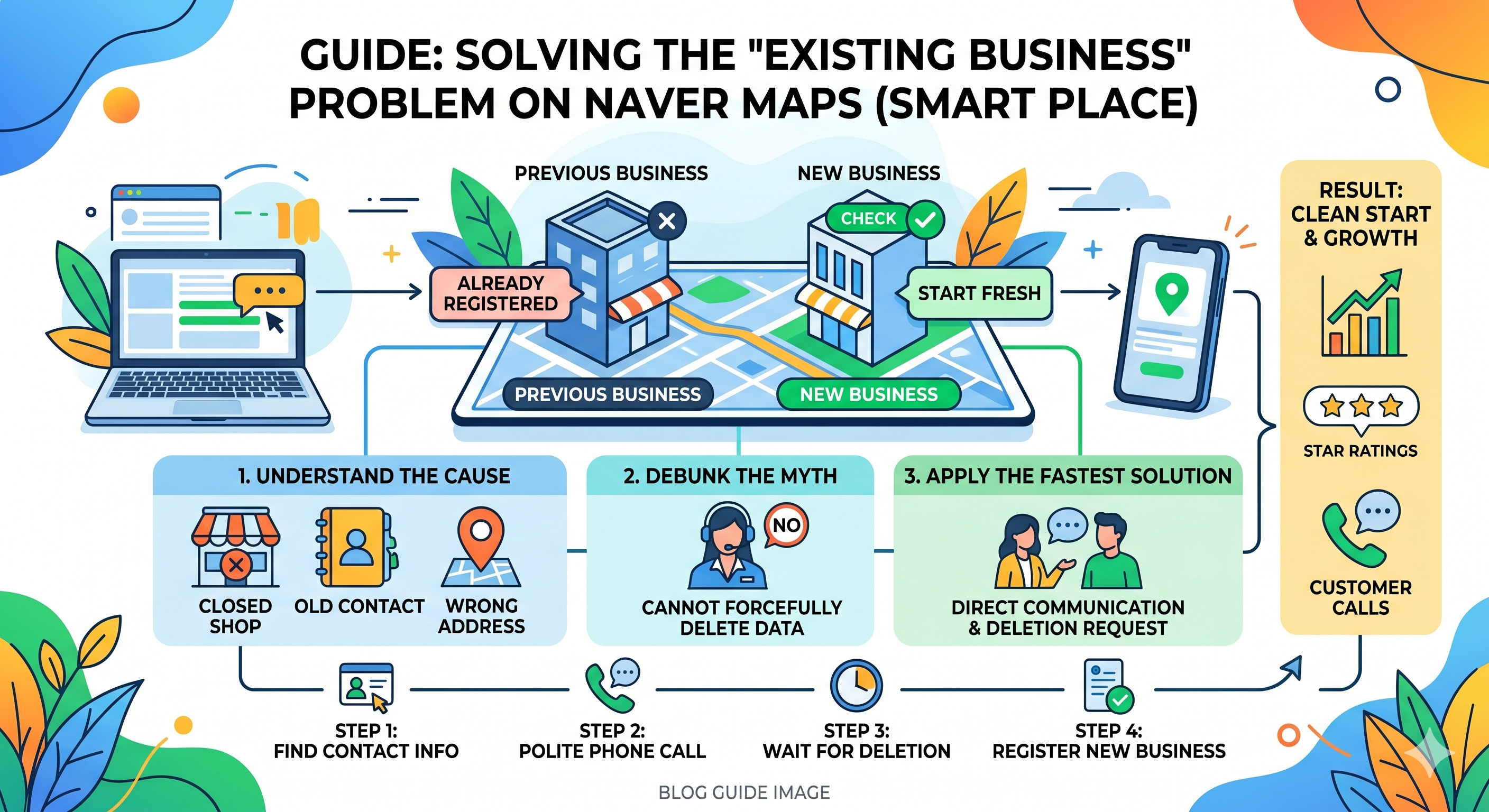
1. Why is another business registered at my address?
In most cases, this isn't identity theft but a "delay in information update."
- Failure to delete after closing: This is the most common scenario. Even if a previous owner closes their business at the tax office, Naver’s database does not update automatically. The previous owner must manually delete the listing.
- Neglect by marketing agencies: If the previous owner used an agency to manage their listing, the information might remain online "like a zombie" if the contract ended without a final cleanup.
- Simple data entry errors: Occasionally, another business might have accidentally entered your address or suite number as their own.
2. The Big Misconception: "Customer service will fix it immediately."
Many entrepreneurs assume that submitting a lease agreement to Naver will lead to immediate deletion. However, Naver Smart Place customer service generally cannot delete or forcibly change an existing registration.
- Ownership Rights: Data like reviews and ratings are considered the assets of the "current manager." Naver cannot delete these without their consent.
- Preventing Abuse: If listings could be deleted simply by submitting documents, competitors could abuse the system to sabotage each other.
- Platform Neutrality: Naver is an information provider, not a judicial body that verifies private lease contracts in real-time.
3. The Fastest Solution: Direct Communication and Deletion Request
The "one who tied the knot must untie it." You must contact the previous owner directly.
- Step 1: Find Contact Info: Search for the existing business on Naver Maps and find their phone number or "Smart Call" number.
- Step 2: Communicate Politely: Most owners simply forgot to delete the listing. Approach them kindly.
- "Hello, I am the new tenant at [Address]. I’m trying to register my new store on Naver, but your previous business is still listed, which is blocking the process. Could you please log in to Smart Place and delete the old information?"
- Step 3: Confirm Deletion: Once they delete it, the information usually disappears from Naver Maps within a few hours.
4. New Registration Process
Once the previous listing is gone, you can start fresh.
- Search for Duplicates: Log in to Smart Place and click "Add New Business." Since the old one is deleted, it should say "No results found."
- Enter Essential Info: Input your business name, category, address, and phone number accurately.
- Upload Photos: First impressions matter. Upload high-quality photos of your exterior and interior.
- Attach Proof: Upload a clear photo of your Business Registration Certificate.
- Wait for Review: Verification usually takes 1 to 3 business days.
5. Tips to Boost Sales and Visibility
Don't just register; optimize.
- Set Representative Keywords: Use combinations like [Location] + [Menu/Service] (e.g., "Gangnam Pasta").
- Maximize Visuals: High-quality photos are more persuasive than text. Aim for at least 10 bright, professional images.
- Tell Your Story: Use the description section to share your philosophy, special ingredients, or the unique experience you offer.
- Utilize Free Tools: Link Naver Booking, Naver TalkTalk (chat), and Smart Call to make it easier for customers to reach you.
6. FAQ: Handling Unexpected Situations
| Situation | Solution |
| Phone number is disconnected? | You must apply for a "Change of Administrator Rights" through Naver. You'll need to provide proof (like a lease) and wait about a week for Naver to verify the previous owner's inactivity. |
| Agency demands money for deletion? | Never pay. Contact the previous owner to demand the agency take it down. If they persist, report it to Naver as "malicious abuse of authority." |
| What happens to old reviews? | When the old business is deleted and you register as a "New Business," everything is reset to zero. This is a great chance to start fresh without being tied to the previous owner's reputation. |
Conclusion
The key to solving the "existing business" hurdle is communication. Rather than fighting with customer service, reaching out to the previous owner is the smoothest way to clear the path. We hope your new business becomes a "magnet" for customers on Naver Maps! Good luck with your launch!
'디지털 인사이트' 카테고리의 다른 글
| 마르케스 브라운리(Marques Brownlee, 이하 MKBHD) Top 유튜버 (0) | 2026.05.09 |
|---|---|
| 앤트로픽-SpaceX의 파격적인 결합: 콜로서스 1(Colossus 1) 데이터센터 임대와 AI 시장의 지각변동 (0) | 2026.05.09 |
| 인공지능 시대, 상금이 쏟아지는 'AI 챌린지' 완벽 가이드: 나에게 맞는 대회는? (1) | 2026.04.30 |
| 네이버 스마트플레이스 기등록 업체 문제 완벽 해결 가이드: 고객센터 대신 이렇게 하세요! (9) | 2026.04.29 |
| 안드로이드 스마트폰 앱 옮기기 완벽 가이드: 스마트 스위치부터 퀵 쉐어 활용법까지 (2) | 2026.04.28 |